This reference collects Markdown syntax frequently used when writing website posts. Start with the copyable examples, then refer to the DrLeeWorks CSS notes and troubleshooting section. Replace example filenames and URLs with your own.
You can edit Markdown directly in VS Code, while a Markdown editor such as Obsidian can be convenient for longer articles. Its preview may differ from the final website.
1. Frequently Used Markdown Syntax
Headings
The article title comes from frontmatter title, so start the body with ##. Leave a space after the hashes and use heading levels in order.
## Main topic
### Subtopic
#### Further detail
Bold, Italics, and Strikethrough
**Important information**
*Additional explanation*
_Additional explanation_
~~Removed information~~
Standard Markdown uses *…* and _…_ for italics. This site displays them as secondary text; see Section 4 for the appearance.
Bulleted and Numbered Lists
Leave a space after the marker. For a note within an item, add a blank line and indent it.
- First item
- Second item

1. Prepare the data.

   *Keep the original file separately.*

2. Check the results.
Links
[GitHub](https://github.com/)
[Another article on this site](/en/computing/path-basics/)
Inline Code
Wrap commands and filenames in backticks, not apostrophes.
Open `index.md` and run `npm run dev`.Code Blocks
Write a language name after three backticks. Copy either complete example below.
```python
print("Hello")
```
```powershell
npm run dev
npm run build
```Examples of language identifiers include python, javascript, typescript, powershell, bash, html, css, and json. Use text or omit the identifier for plain text. Do not put an arbitrary title in its place. To display an example containing three backticks, wrap it in four backticks.
Tables
| Item | Description |
| --- | --- |
| Original | Unmodified data |
| Result | Processed data |
Blockquotes
> A quotation or a passage to set apart.
>
> It can contain multiple paragraphs.
2. Adding Images and Videos
Basic Images and Captions
Use . Describe what the image shows in the alt text, and write the visible caption separately below it.

*The knife edges follow the specimen surface to measure elongation.*This site automatically adds ▲ before an emphasized caption immediately below an image; do not type it yourself. A plain Markdown image can also have its caption on the next line without a blank line, but the format above is easier to keep consistent. Do not insert another paragraph or heading between the image and caption.
An actual image and caption:
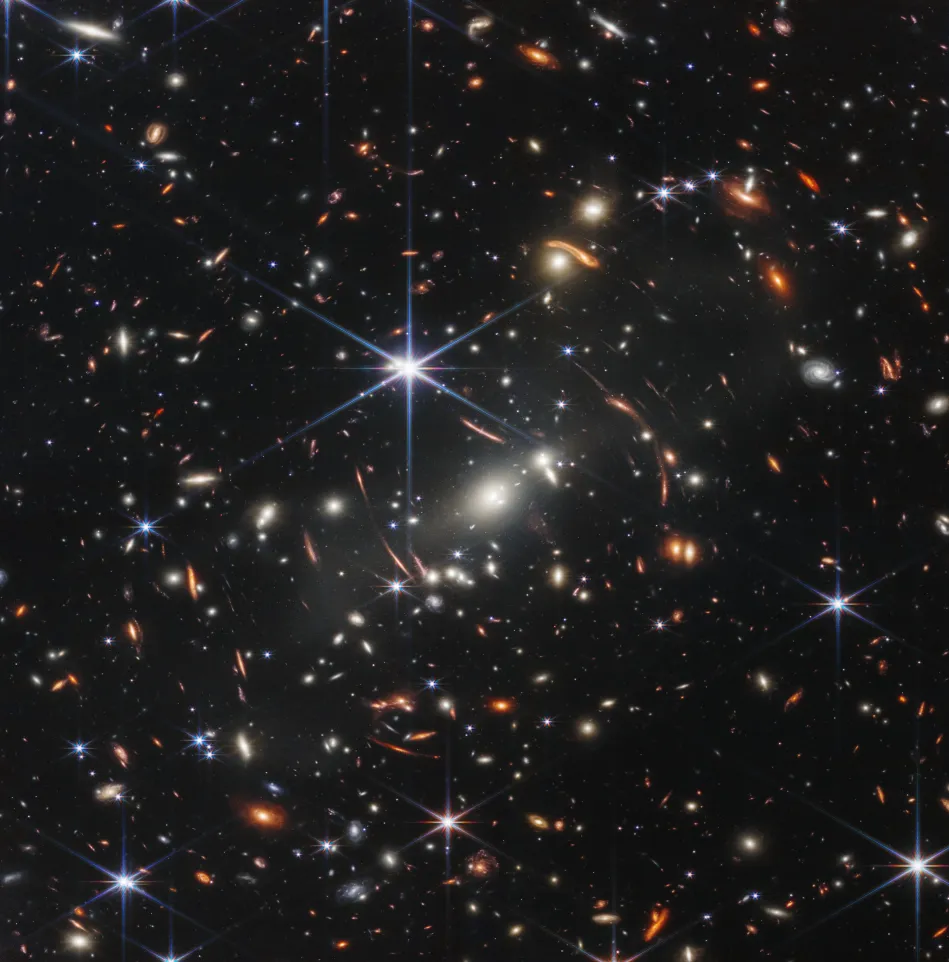
James Webb Space Telescope – Webb’s First Deep Field (SMACS 0723). Image Credit: NASA, ESA, CSA, STScI.
Image Width
This site’s img-75 class centers an image within 75% of the article width. Copy the blank lines around the HTML too.
<div class="img-75">

</div>
*Names of the parts and positions of the knife edges.*GIFs
Use the same syntax as for other images. Large GIFs can slow loading, so keep their dimensions and duration manageable.

*The grip moves as the load increases.*YouTube
For new posts, prefer .mdx and the existing YouTube component. Do not keep both index.md and index.mdx in the same article folder. This import path assumes the repository’s article folder depth.
import YouTube from '../../../../../components/YouTube.astro';

<YouTube id="kpTIeRqItoM" title="YouTube video" />
If you need to keep .md, embed HTML instead. Reusing the existing youtube-embed style maintains a 16:9 aspect ratio.
<div class="youtube-embed">
  <iframe
    src="https://www.youtube-nocookie.com/embed/kpTIeRqItoM"
    title="YouTube video"
    loading="lazy"
    allowfullscreen>
  </iframe>
</div>
Replace kpTIeRqItoM with the video ID. To start at 27 seconds in the HTML example, append ?start=27 to src. The current YouTube component accepts only id and title. MDX components do not run in Obsidian’s preview, so check them on the site. Prefer an external video service over storing large video files in the repository.
3. Managing Files and Paths
The default layout keeps index.md and its images in the same folder.
my-post/
├─ index.md
└─ figure.webp| Path | Meaning |
|---|---|
./figure.webp | Same folder as the Markdown file |
./images/figure.webp | The images subfolder |
../figure.webp | One folder above |
/images/shared.webp | Public URL corresponding to public/images/shared.webp |
Prefer lowercase ASCII filenames with hyphens and no spaces. Enclose an existing path containing spaces in < >.
Translations reuse Korean source images through relative paths instead of copying files. Translate only the alt text and captions. For example, from an English article in this repository:

*The knife edges follow the specimen surface.*If using Obsidian, turn off Wikilinks, select relative links, and store attachments in the current file’s folder. Use standard  syntax instead of ![[image.png]].
4. DrLeeWorks Custom Styles
These are site-specific CSS and component behaviors, not standard Markdown syntax. The implementation is in src/styles/global.css and src/components/YouTube.astro.
| Element | Current implementation |
|---|---|
| Secondary text | .markdown-body em uses the muted color variable, 0.94em, and no italics in article bodies |
| Image captions | Inside .prose, ▲ precedes em immediately after an image, em after an image-only paragraph, captions after img-75, and figcaption |
| Images | Article images have 100% width and automatic height; img-75 sets a 75% maximum width and centers the wrapper |
| Code blocks | Code font, padding, and horizontal scrolling. Astro syntax highlighting sets code colors; global pre styling provides a dark background and default text color |
| Tables and equations | Wide tables and display equations scroll horizontally within the article |
| YouTube | youtube-embed maintains a 16:9 ratio; the component uses youtube-nocookie.com and lazy loading |
The core secondary-text CSS is shown below. You do not need to add it to each document.
.markdown-body em {
  color: var(--muted);
  font-size: 0.94em;
  font-style: normal;
}
There is currently no img-50 class. Code-block language badges and copy buttons are also not implemented. Distinguish editor features from website features. Ordinary paragraphs that are not marked as captions do not automatically receive triangles.
5. Troubleshooting Display Problems
| Symptom | Check or fix |
|---|---|
An asterisk remains in *text | Add the closing asterisk: *text* |
* text * appears literally | Remove spaces immediately inside the delimiters |
\*text\* appears literally | Backslashes escape the characters; remove them for emphasis |
A caption after </div> displays asterisks | Add a blank line after the HTML block; keep one between the opening tag and the inner Markdown too |
An expression such as **+**를 fails | Use a natural space, as in **+** 버튼을, or include the Korean particle in the emphasis |
| An image is missing | Check file existence, letter case, extension, and the path relative to the current document |
| A filename containing spaces fails | Enclose the path in < > |
| Markdown inside code is not styled | This is expected: code displays the syntax itself |
| A caption has no triangle | Check that *caption* or _caption_ immediately follows the image |
| Editor and site appearances differ | Check in a browser with the site’s CSS |
Bold text ending in parentheses may also fail when a Korean particle immediately follows it.
Incorrect: **명령줄(CLI)**을 사용한다.
Corrected: **명령줄(CLI)을** 사용한다.
6. Before Publishing
Run this from the project root, then open the article at http://localhost:4321.
npm run dev- Images and captions appear correctly.
- Links lead to the right pages.
- Code blocks and Markdown symbols display as intended.
- Article content and tables do not push the page beyond mobile screen width.
- Korean and English content and image references match.
- The following build finishes without errors.
npm run buildTo check likes too, prepare the local database and run npm run likes:dev on port 8788. This serves the build output, so rebuild after editing. After committing and pushing, check that the Pages deployment finishes before expecting changes on the live site.