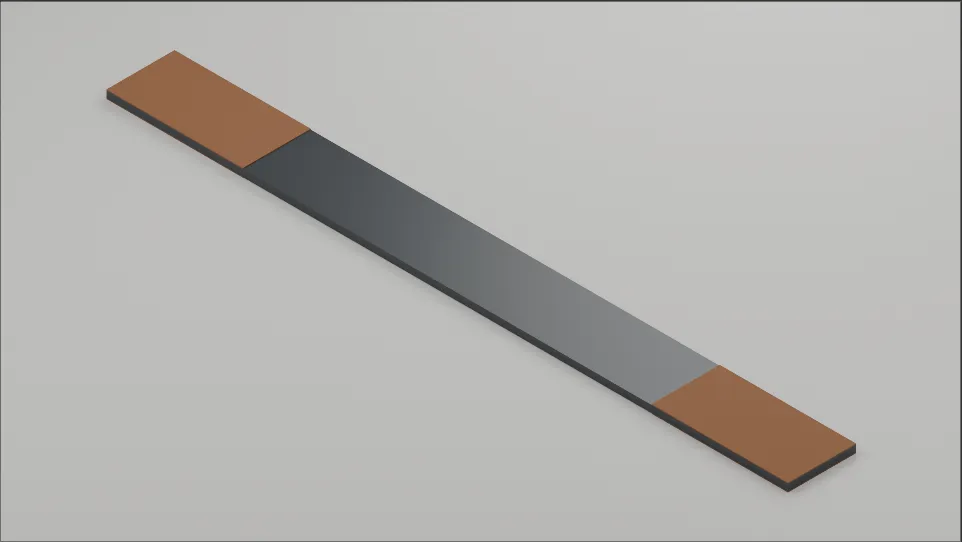
GPT-6 Astra is said to be able to control Blender directly to create models. Most of the public examples I had seen showed elaborate, complex results, and I wondered whether that was really possible. So I decided to find out by asking it to create a simple Blender model using natural language.
Getting Ready
At the time of writing, GPT-6 Astra had only recently been released and was reportedly being rolled out gradually to paid users.
In my case, only the 5.6 Sol model appeared on the web, but after installing the ChatGPT desktop app, I could use Astra in the app, so I gave it a try right away.
With the latest version of Blender installed, I installed and launched the ChatGPT desktop app and asked Codex, in natural language, to create a model in Blender.
Modeling with Astra
With the latest version of Blender installed, I gave Astra the following request.
ASTM D3039 is a widely used test standard for measuring the tensile properties of polymer composite materials. It is particularly common for fiber-reinforced polymer (FRP) composites.
Prompt
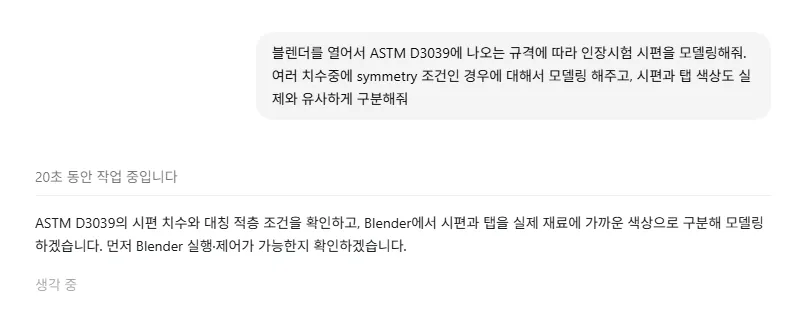
Open Blender and model a tensile test specimen from the ASTM D3039 standard. Among the different dimensional configurations, use the one for the symmetry condition, and give the specimen and tabs distinct colors that resemble the real materials.
The response was essentially this:
Both the command execution and file-saving tools were failing, so it could not control Blender directly. Instead, it would provide a script for me to run in Blender myself.
That was a little disappointing, but I decided to check whether the script worked first.
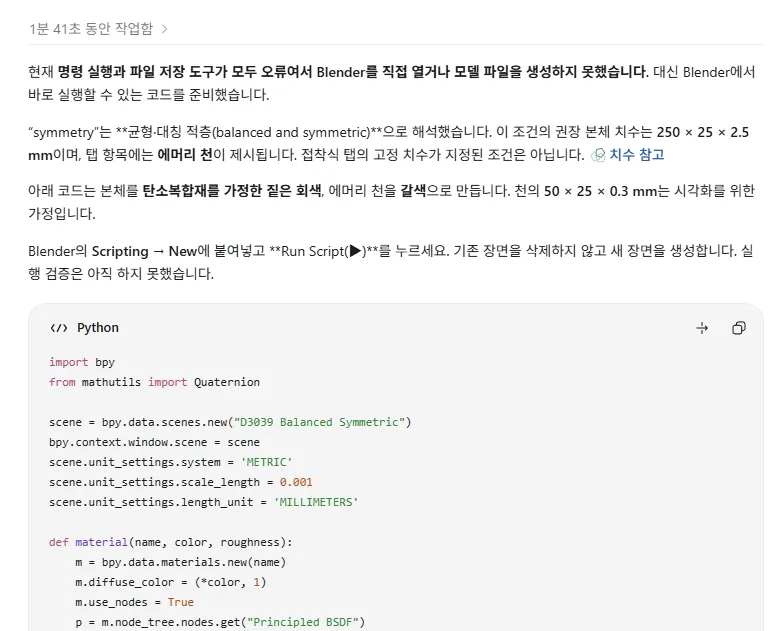
Running the supplied script in Blender, as shown below…
I could see the model being created step by step in the viewport at the upper left.
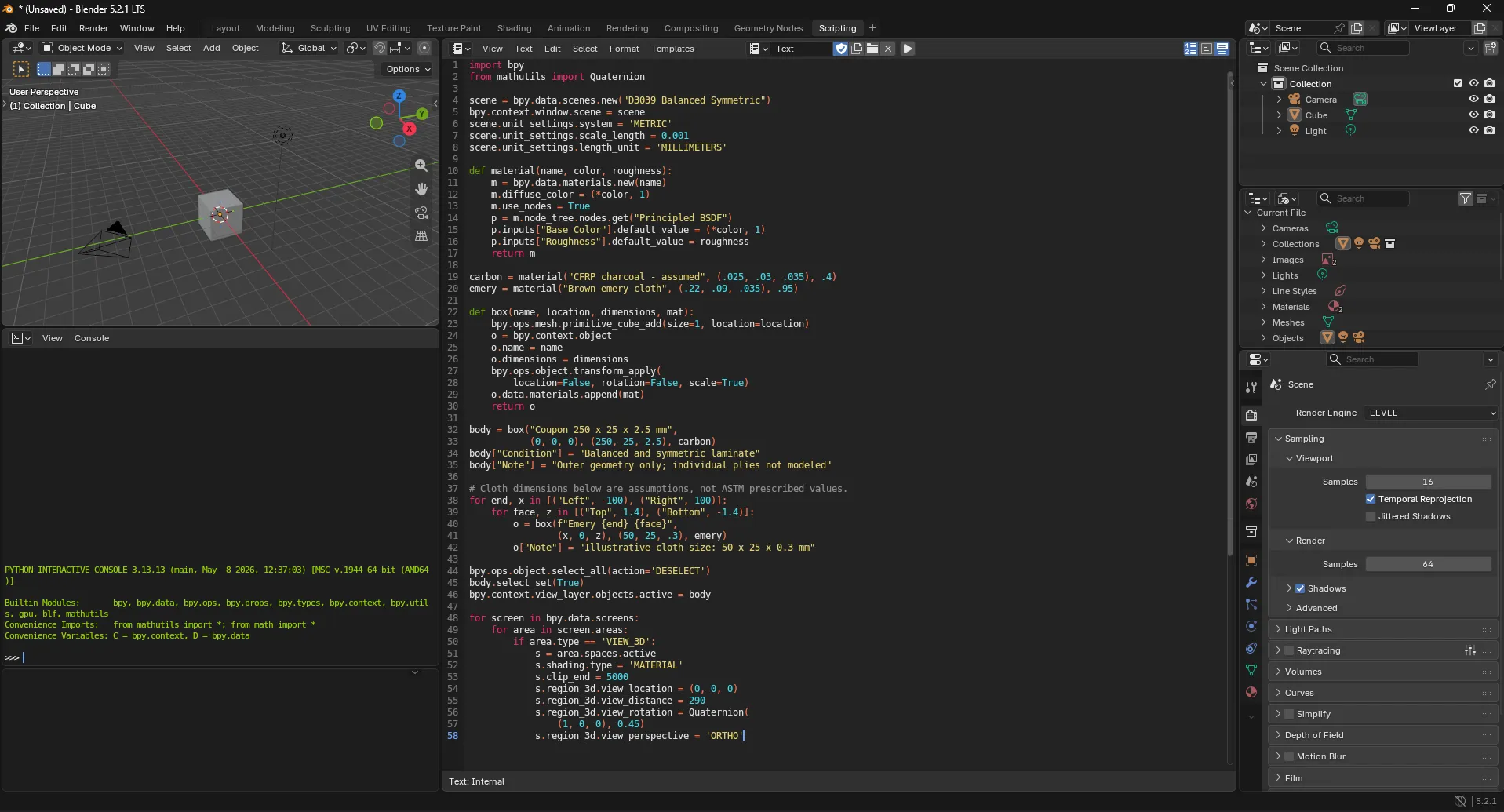
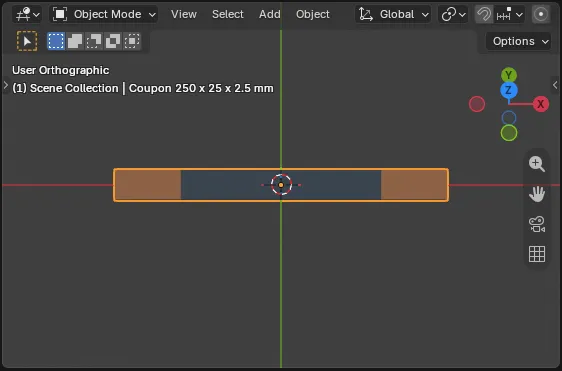
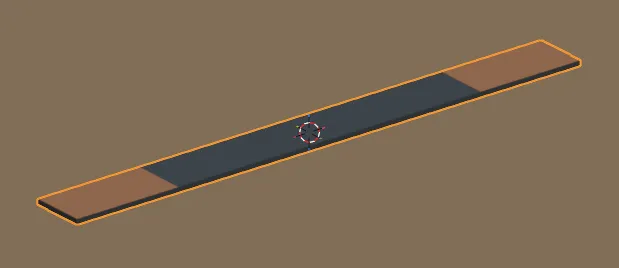
Here is the generated model in Blender’s Shading tab.
Since no camera had been created, I could not see it in the Modeling tab. In a world where everything seems to happen with a click, setting up the camera position and lighting myself suddenly felt like a chore.
Fixing the Error and Making Further Requests
The model had actually been created by running a supplied script, which was something earlier models could already do. I therefore decided to resolve the initial error so that Astra could operate Blender directly.
After quite a struggle, the problem turned out to involve temporary-folder permissions. Changing the location of the temporary folder resolved it. I had encountered this problem when using Docker as well, and had been unable to solve it despite searching online and asking AI for help.
Adjusting the Colors and View with Astra
I did not ask it to rebuild the model from scratch. Instead, I continued making requests to bring the existing model closer to what I wanted.
In Blender, I also needed to set up a camera and lighting to see the model from the camera’s direction in the Modeling tab.
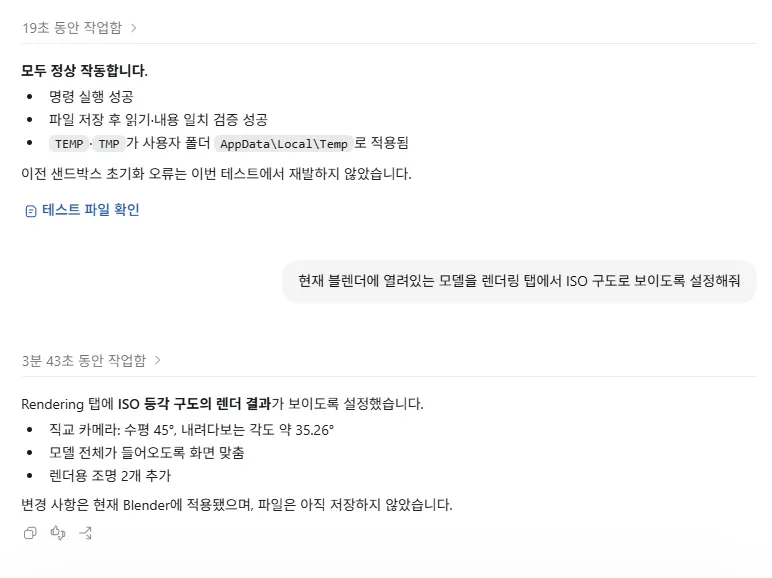
Since I did not want to add the camera and lights myself, I asked it to “show the current model in an isometric view in the Modeling tab.”
Astra then controlled the computer, created a new camera, and set up the view for me.
However, the background was black and there was no lighting, so it still looked rather awkward.
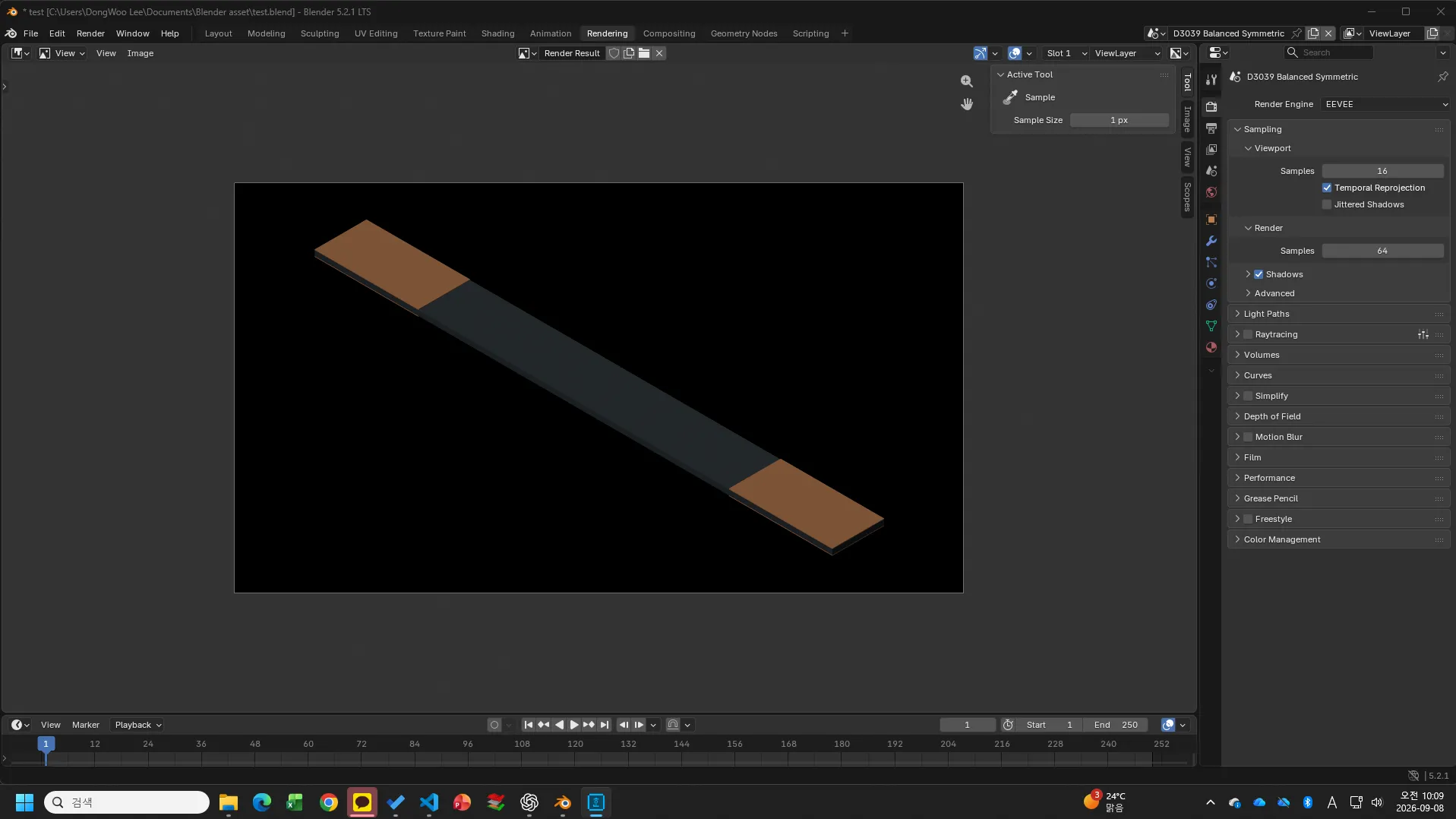
I then asked it to “make the background and colors look more natural.”
From this point on, Astra operated Blender by directly controlling the computer. It was fascinating to see the edges of the screen turn blue and the mouse cursor move on its own.
I could still use the mouse and keyboard freely, but doing so would interrupt Astra’s work. So I had to sit back and watch it make the changes.
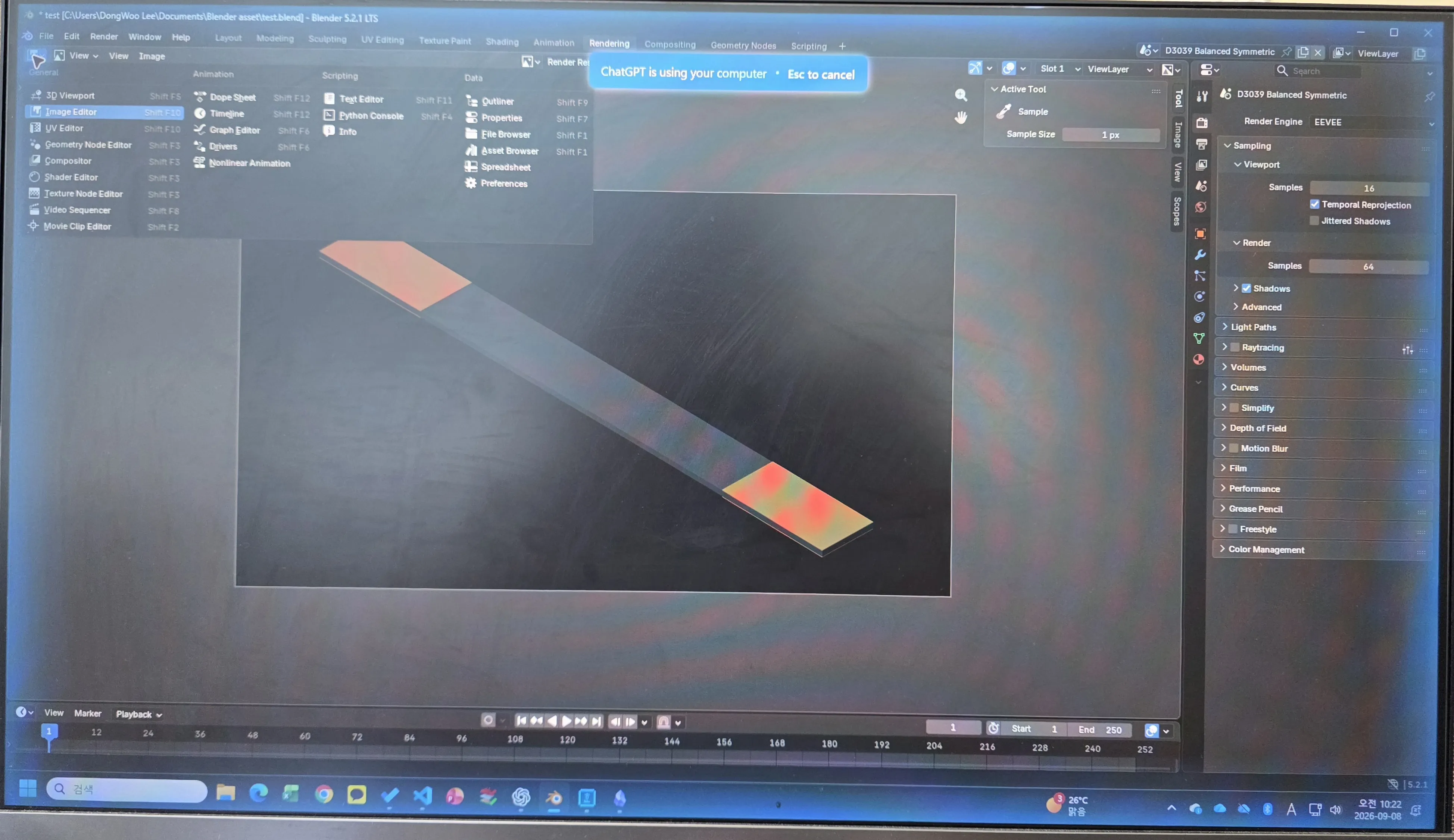
A photograph taken with a camera while GPT was controlling the computer. The blue border does not appear in screenshots.
Final Result
In the end, instead of looking up Blender features or editing code one step at a time, I reached the render-ready state shown below simply by showing it problems and asking for fixes, then requesting further changes whenever something was not to my liking.
The resulting model is much more precise than an AI-generated image, and the process is much faster than modeling it myself. Above all, I do not have to struggle with Blender on my own, so I expect to use this approach very often.